YMEC software | TOP | STORE | DSSF3 | RAE | RAD | RAL | MMLIB | FAQ | Support | Contact Us |

This site provides information for how to perform the sound measurement and analysis by using standard Windows PC. Realtime Analyzer, Sound Analyzer, and Environmental noise Analyzer turn your PC into a measurement laboratory. Covered field is audio measurement and adjustment, room acoustics, electronic measurement, acoustic analysis of noise, human voice, musical instrument, and medical auscultation sound. You can do the same measurement by your own notebook PC. Go to YmecStore to download the sound measurement and analysis software DSSF3. 
Home Next

Oscilloscope

In his book "Sound System Engineering", Don Davis says: "If we use an oscilloscope to look at the output signal of the sound system that were adjusted by a meter or analyzer, we are surprised by the frequent occurrence of overload. For this reason, the latest Real-time Analyzer (a real-time frequency analyzer) is equipped with a Peak Level Monitor (an automatic overload display device). If an oscilloscope is connected to the output terminal of the sound system under tests, problems in transition phenomena related to line connections, earths, and levels will be visible on the oscilloscope screen. Any momentary variances from normal test signals can be investigated immediately."

If the oscilloscope is used in combination with the signal generator, it becomes possible to easily check for distortions caused by errors in dynamic ranges for A/D-D/A converters or various types of built-in PC analog amps. From the results of these checks, the user can adjust the software volume on the software mixer, or the program volume on the A/D-D/A converters. Confirmation of the accuracy of these signals is a fundamental rule of measurement.

Again, according to "Sound System Engineering" by Don Davis, "A camera is also required to record measurement data". But in the case of the measurement software, the use of the "screen copy" function is a much easier way to preserve a record than using a camera.

"Realtime Analyzer" is fully equipped with all these functions.

As a first example, let's look at the waveform of the spoken vowels.
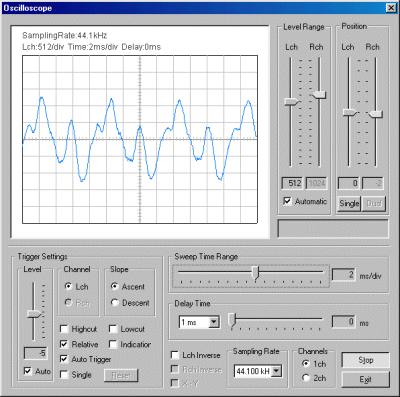
I attached a miniature microphone to my shirt collar, and said "ahhh". Level range was set automatically to capture the signal properly. "Sweep Time Range" of 2ms/div was most appropriate. A waveform for a certain instant is displayed.
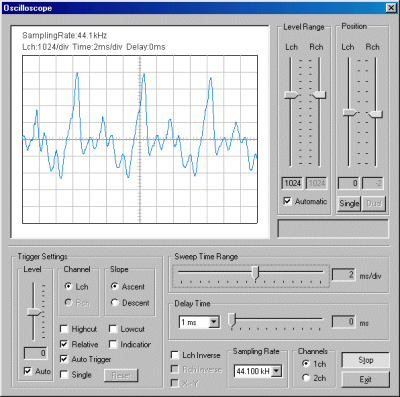
This is the waveform of "ohhh".

You can see that waveforms of voice are different each other. To our ear, "O" sounds like "O" even if it is spoken loudly or softly, in a high or low pitch, fast or slow ... why is this? It would be an interesting study as well, wouldn't it?

In the next page, how to perform the measurement of audio systems is described.


Home Next

| TOP | STORE | DSSF3 | RAE | RAD | RAL | MMLIB | FAQ | Support | Contact Us |

If you have questions or comments about this page,
feel free to contact us by email ymec@ymec.com or by online inquiry form.